
From selfie to photoreal frame render in under a second.
LayerFrames is the rendering engine we built for TryOnFrames, our own consumer try-on app. Everything it does is exposed to you as an API.

The rendering pipeline
Six stages run per request. You call one endpoint.
- 1
Subject intake
A still image, an uploaded photo, or a live webcam frame arrives over REST or WebSocket. We accept JPEG, PNG, WebP up to 12 MB, or raw RGB frames in stream mode.
- 2
Face understanding
68-point landmark detection, 3-axis head pose estimation, depth and occlusion mask (hair, hands, fringe), skin tone and lighting estimation.
- 3
Frame fitting
Your SKU's measured geometry — lens width, bridge, temple length — is aligned to the detected face so the frame sits at true physical scale, not an approximate sticker.
- 4
Photoreal composite
The diffusion renderer matches scene lighting, casts nose-pad and temple shadows, applies lens tint/gradient/mirror, reflections, and prescription lens distortion.
- 5
Fit scoring
We return pupillary distance, face width, temple-to-temple fit, and a 0–1 fit score per SKU so you can badge and rank recommendations.
- 6
Delivery
A hosted CDN render URL, a base64 payload, or a streamed video track — whichever your storefront needs. Renders are cached per face-hash + SKU.
What it looks like inside a real eyewear store.
These are low-fidelity mockups of the surfaces our partners ship. Your design system, your copy — we only supply the render.
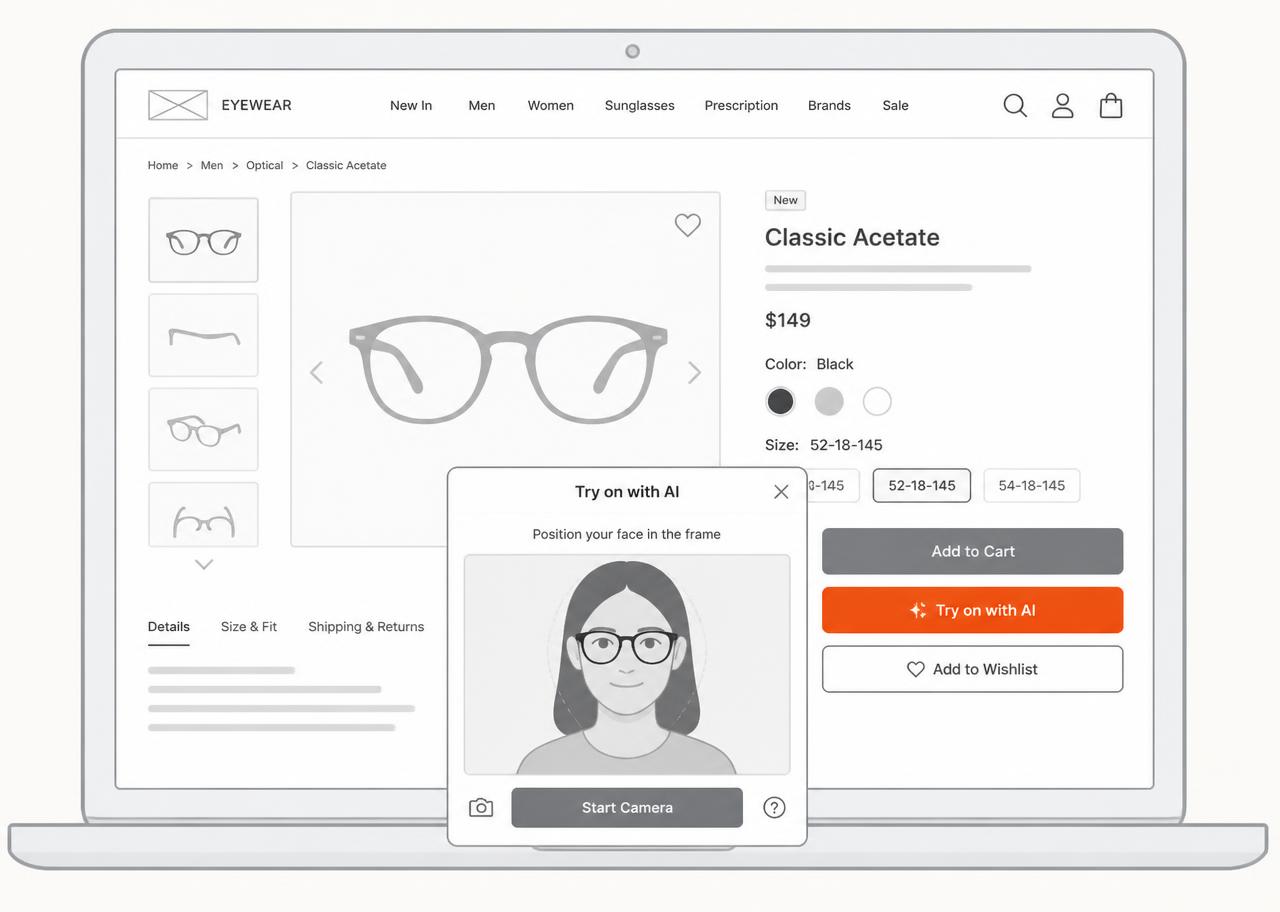
Product detail page
The primary surface. A 'Try on with AI' button next to Add to Cart opens a modal with the customer's camera and the current SKU already loaded.
Category grid
Once a shopper has one selfie in session, every tile in the grid can render them wearing that frame — a personalized catalog with no extra captures.
Wishlist and email
Server-side renders let you email a customer wearing the frame they abandoned. This is consistently the highest-CTR remarketing asset our partners run.
In-store kiosk
The same API drives tablet kiosks for optical retail: show 400 frames without pulling a single pair off the wall.
One line, one component, or raw API.
Most teams start with the embed script and graduate to the API once they want try-on in the category grid or in email.
<!-- 1. Load once, site-wide -->
<script async src="https://cdn.layerframes.com/embed.js"
        data-key="lf_pub_9c2f..."></script>

<!-- 2. Anywhere on a product page -->
<button data-layerframes-tryon
        data-frame-id="frm_classic_acetate_black">
  Try on with AI
</button>import { TryOnButton } from "@layerframes/react";
export function ProductPage({ sku }) {
return (
<TryOnButton
frameId={sku.layerframesId}
variant="inline"
onAddToCart={(frame) => cart.add(frame.id)}
onEvent={(e) => analytics.track(e.name, e.payload)}
/>
);
}Attribution for every try-on session.
Try-on stops being a novelty when you can prove it sells. Every session streams structured events to your warehouse or via webhook.
{
  "event": "tryon.added_to_cart",
  "session_id": "ses_2Zq81",
  "frames_tried": 7,
  "seconds_active": 96,
  "converted_frame_id": "frm_aviator_gold",
  "fit_score": 0.88,
  "device": "ios_safari"
}